
SQL execution
Applies to 1.0.0. Tasks → New/Edit → plugin SQL.
Before you start
Use ADMIN to create, configure and save tasks. ADMIN or OPERATOR can execute published definitions; ADMIN reads detailed logs and input/output variables. Resources must be enabled and reachable from the execution node. See tasks for common timeout, retry and version settings, and the permission matrix.
Field reference
“Default” means the initial value of a new 1.0.0 form. An empty value means the field has not been filled in; required fields still need a value. Visibility follows the selected branch; conditional requirements apply only to that branch.
SQL execution
| Field | Required | Default | Visible when | Scope |
|---|---|---|---|---|
| Database resource | Required | None | Always | Current task version |
| SQL | Required | Empty | Always | Current task version |
| SQL delimiter | Has a default | ; | Advanced settings | Current task version |
| Transaction | Has a default | true | Advanced settings | Current task version |
| Continue on error | Has a default | false | Can be enabled after transactions are disabled | Current task version |
| Query timeout (seconds) | Has a default | 600 | Advanced settings | Current task version |
| Minimum rows (optional) | Optional | None | Advanced settings | Current task version |
| Maximum rows (optional) | Optional | None | Advanced settings | Current task version |
| Result variable (optional) | Optional | Empty | Advanced settings | Current task version |
- Database resource: Business database resource.
- SQL: At most 1000000 characters.
- SQL delimiter: 1–16 characters; variable expressions are not accepted.
- Transaction: Transaction behavior depends on the database and statements.
- Continue on error: Continue on error is forbidden when transactions are enabled.
- Query timeout (seconds): 1–86400 seconds.
- Minimum rows (optional): Nonnegative integer, no greater than the maximum row count.
- Maximum rows (optional): Nonnegative integer.
- Result variable (optional): At most 128 characters; variable expressions are not valid names.
Behavior and boundaries
- The SQL plugin uses ${...} text replacement without named parameter binding; constrain input types and handle quoting.
- Query timeout and overall task timeout apply at different levels and may produce different terminal states.
Typical configuration: Read the total order count
Fill in the form below, replacing resource names with your enabled resources. This is a configuration guide, not importable JSON. Follow the tutorial linked below for data preparation and execution.
Create the three-row orders dataset in an isolated business database using the linked tutorial.
| Setting | Value |
|---|---|
| Database resource | Business database resource containing orders |
| SQL | See code below |
| Transaction | true |
| Continue on error | false |
| Result variable (optional) | ordersResult |
SQL:
SELECT COUNT(*) AS total FROM orders;
Expected result: The query succeeds and output variable ordersResult is the scalar number 3.
Follow the full tutorial. Save the definition before running it; inspect execution state and business results separately.
Actual interface
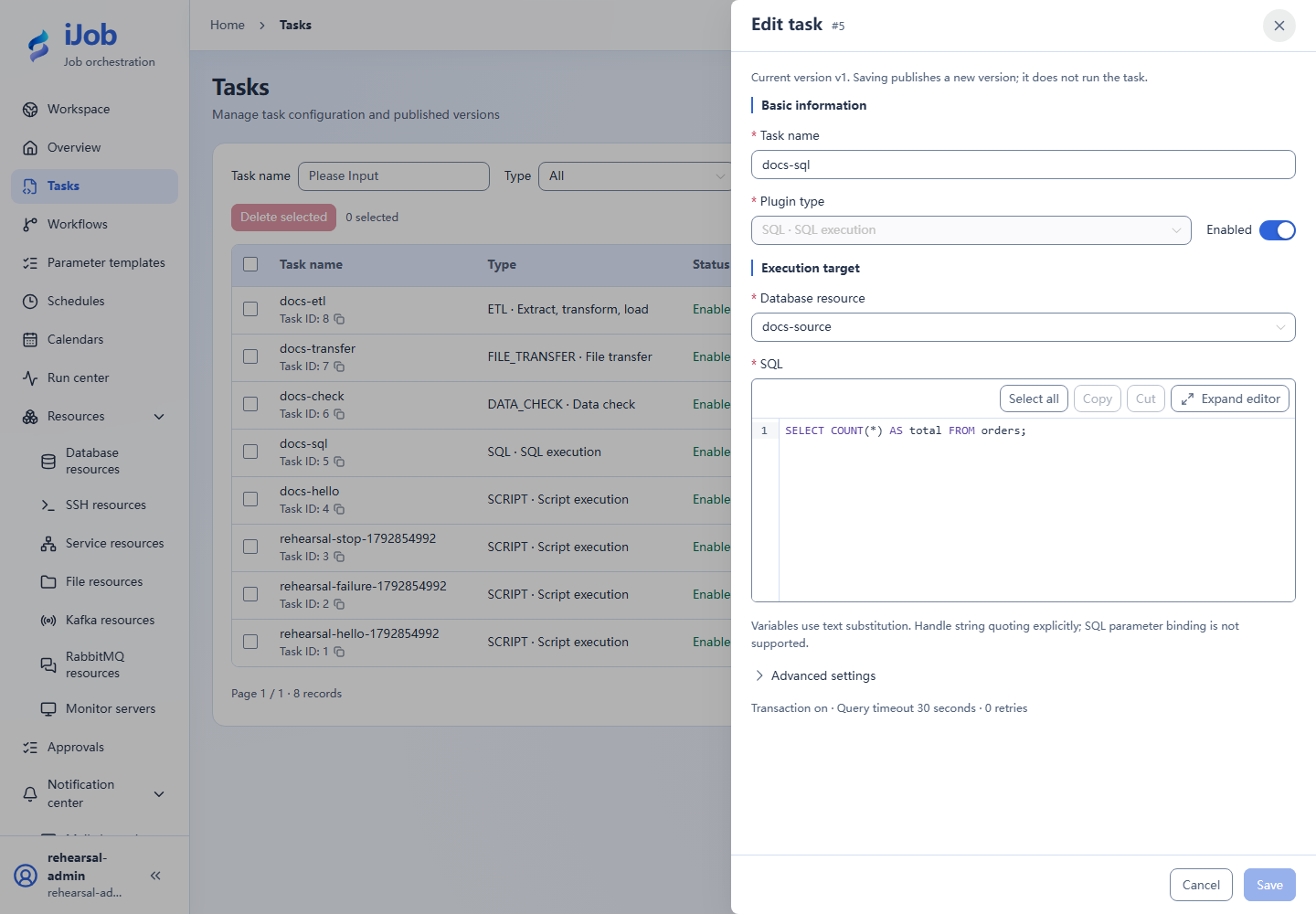
Configuration keys
Use these keys when inspecting imported configuration, API payloads or errors. [] denotes a collection item; the form does not require you to enter key names.
| Category / field | Configuration key |
|---|---|
| SQL execution / Database resource | resourceId |
| SQL execution / SQL | script |
| SQL execution / SQL delimiter | delimiter |
| SQL execution / Transaction | transaction |
| SQL execution / Continue on error | continueOnError |
| SQL execution / Query timeout (seconds) | queryTimeoutSeconds |
| SQL execution / Minimum rows (optional) | minRows |
| SQL execution / Maximum rows (optional) | maxRows |
| SQL execution / Result variable (optional) | resultVariable |
Related pages
Tasks and versions · Parameters and expressions · Scenario tutorials